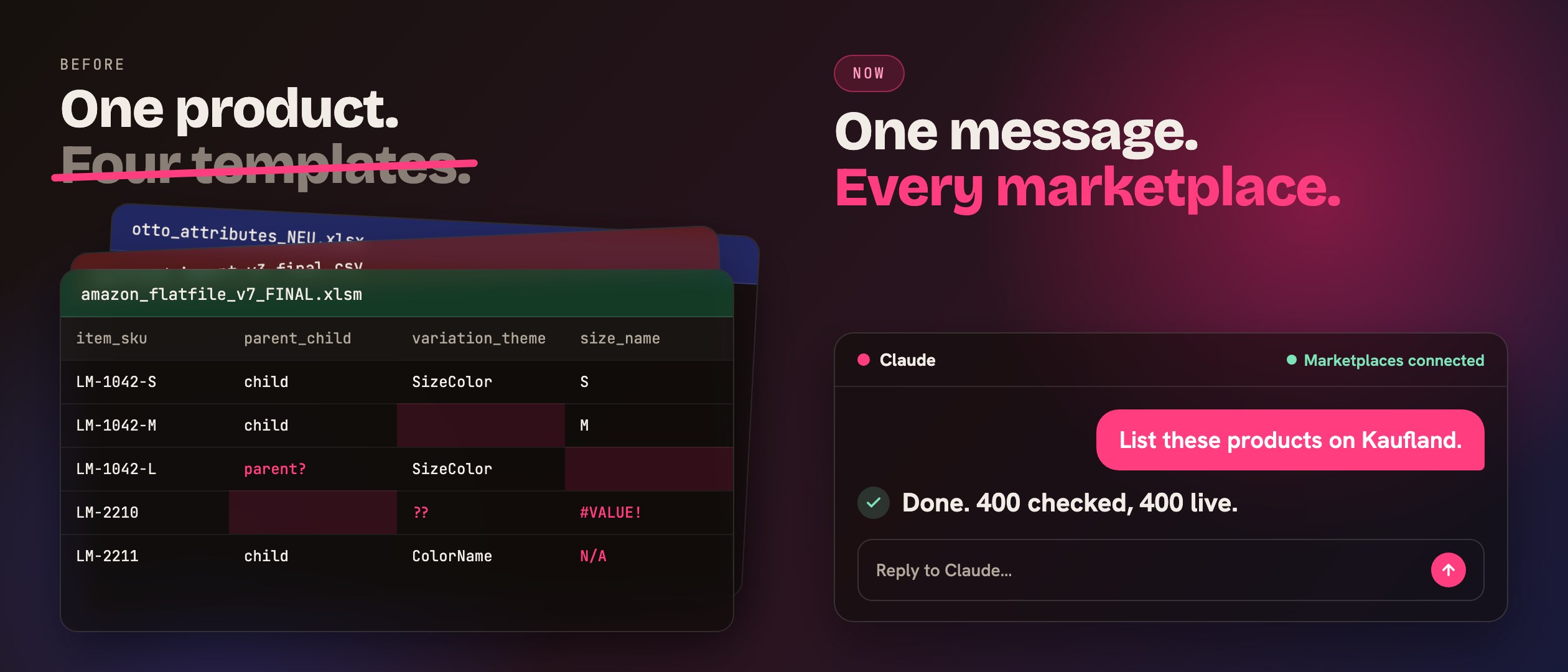
If you sell on more than one marketplace, you already know the answer to the question in the title: because every marketplace built its own catalog, its own category tree and its own idea of what a "product" is. The template is just the shape of that idea, printed into a spreadsheet. Amazon's flat file, Kaufland's CSV, OTTO's attribute sheet, eBay's file exchange: same product, four shapes.
What it costs you is the part nobody writes down. I did, for us. It came out to roughly one rebuilt product per marketplace per SKU, plus one failed upload per template version, plus a weekend now and then. Here's what's actually going on, and how we got out.
What a flat file actually is
A flat file is a marketplace saying:
Here are my columns. Fill them in. If you get one wrong, I'll tell you afterwards.
That sounds fair until you look at the columns. Amazon's flat file for a clothing product type has a few hundred of them. Most are optional. Some are required. Which ones are required depends on the product type, and the product type depends on the category you picked, which you picked from a tree that looks different from every other marketplace's tree.
So the file isn't really a form. It's a test, and the answer key is somewhere in the marketplace's help center.
Why they differ, marketplace by marketplace
I used to think the differences were cosmetic. Different column names, same data. They're not. The marketplaces disagree on the model itself.
- Amazon thinks in parents and children. A T-shirt in three sizes and two colours is one parent (no stock, no price) plus six children. Which "variation theme" you're allowed to use, Size, Colour, SizeColour, depends on the product type, and you find that out per type, not once. Get the theme wrong and the children upload fine, then don't show up under the parent. No error. Just a product family that isn't one.
- Kaufland thinks in EANs. If your EAN already exists in their catalog, you attach an offer to it, and the category is locked to whatever it already is. If it doesn't, you create the product data first. One thing we learned the hard way: in a Kaufland import, one invalid value doesn't fail one row. It fails the batch. Four hundred products, one weight in the wrong unit, zero products live.
- OTTO thinks in complete records. When you update product data there, you're not patching a field. You're replacing the whole record. Send half of it and the other half is gone. That's not a bug in OTTO; it's how their model works. But it's the opposite of how Amazon works, and if you carry the Amazon habit over, you'll find out on a Friday.
- eBay thinks in inventory items and offers, two separate things with two separate lifecycles. The item is the product. The offer is the product on a marketplace at a price. You can have one without the other, which is useful once you know it and confusing until you do.
Four marketplaces, four mental models. The templates are just the surface.
What it costs, honestly
The obvious cost is time. Building the same product four times, then debugging four sets of rejections.
The less obvious cost is that the knowledge lives in one person. Every team I know has "the marketplace person." The one who knows that Kaufland wants a unit on every weight, that Amazon's variation_theme has to match the product type, that OTTO needs the full record. When that person is on holiday, listings stop. When they leave, the knowledge leaves with them.
The third cost is the one that got me: the smart work was already done. We were using Claude to write titles, clean up attributes and translate descriptions. That part took seconds. Then someone spent the evening squeezing the result into four templates by hand. We'd automated the thinking and kept the typing.
How we stopped
We didn't fix the templates. We stopped using them.
The marketplaces all have APIs. The flat file is one way in; the API is the other, and it's the one their own tools use. So instead of asking Claude to write content we then paste into a template, we connected Claude to the marketplace accounts directly, the way you connect it to Gmail. Then the instruction became the whole job:
That sounded simple and wasn't. An API isn't a template; it's a hundred methods, and plenty of them look right and still do something you didn't mean. The Kaufland batch rule, the OTTO full-record rule, Amazon's variation themes per product type: none of that is in the API documentation in a form you'd recognise at 9 pm. We learned each one by running into it. The difference is that we wrote each one down as a route, so Claude follows the route instead of guessing, and a fresh session doesn't rediscover the trap.
Here's the moment it clicked for me. A supplier file came in, the usual kind: half the columns empty, the other half in the wrong format. We dropped it into the chat. Claude found the right category on each marketplace, worked out which fields that category requires and which are optional, filled them in per product, and built the variation families itself, sizes and colours on Amazon, the EAN match on Kaufland.
We sat there for a few minutes. That used to be days.
If you're still in flat-file land
Three things that help even if you never change your setup:
- Keep one master, not four. One product sheet with every attribute you've ever needed. Derive each marketplace's file from it, never edit the marketplace files by hand.
- Write down the model, not just the columns. "Kaufland fails the whole batch." "OTTO replaces the whole record." "Amazon's theme depends on the product type." These three sentences save more time than any template.
- Validate before you upload. Every marketplace will tell you what's wrong, but only after the upload, and only in its own words. Anything you can check before you send is a rejection you don't have to read.
Where Skube fits
Skube is the connector we built to get out of this. It plugs Claude into your marketplace accounts, and the marketplace knowledge, the batch rules, the record rules, the category trees and required fields, lives on our side, not in your head. You say "list these products on Kaufland" in the chat you already use, and Skube does the listing, checks it before anything goes live, and reads the marketplace's verdict back to you in plain words. Nothing to install, nothing new to learn, and your keys stay in a vault Claude never sees.
Next: how a supplier file becomes a variation family on Amazon, step by step.